


Vibe Coding Examples
Explaining what vibe coding is takes about two sentences. Showing what it can actually produce is a lot more useful.
This post is a collection of real-world vibe coding examples—the kinds of projects non-technical founders, marketers, and operators are shipping with AI tools right now. Not demos. Not toy apps. Actual things people built, launched, and in some cases turned into businesses.
If you’ve been wondering whether vibe coding can handle your idea, this is the post to read.
What a Vibe Coding Project Looks Like
Before the examples, it’s worth being clear about what “a vibe coding project” actually means. It is not a project where a developer used an AI autocomplete tool to write faster. It is a project where someone with no traditional coding background—or a developer intentionally working without writing code manually—used natural language prompts to build something functional.
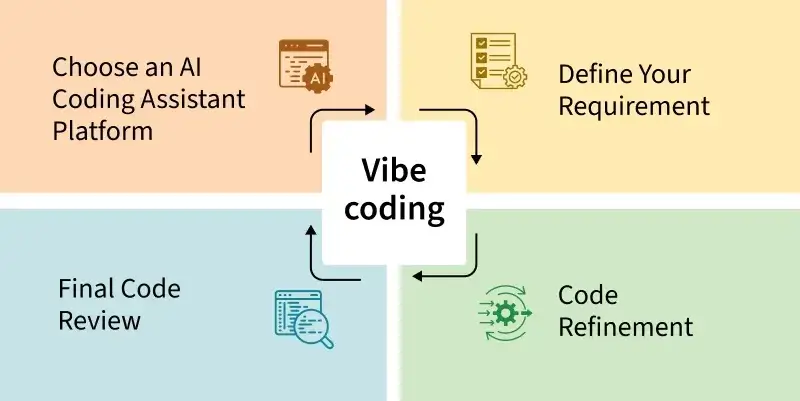
The typical workflow looks like this:
1. Describe the project to an AI tool like Lovable, Bolt, or Cursor
2. Review the generated output and iterate with follow-up prompts
3. Connect any needed services (database, auth, payments)
4. Deploy directly from the platform or push to Vercel
5. Continue iterating based on real user feedback
What makes vibe coding projects distinctive is the speed and the profile of the builder. Projects that would have taken weeks of developer time—or never gotten built at all—are now getting shipped in days by people who have never written a line of code.
The examples below span different project types, different tools, and different experience levels. That range is intentional.
Building Websites With Vibe Coding
Websites were the first thing non-technical people tried to build with AI tools, and for good reason—they’re visual, the feedback loop is immediate, and the complexity is manageable. Vibe coding has proven to be genuinely excellent for this use case.
Marketing Landing Pages
A founder building a new SaaS product needs a landing page before they need anything else. The old path: hire a designer, wait on a developer, spend $3–5k minimum. The vibe coding path: open Lovable, describe the product, specify the sections you need, and have a deployed page in under two hours.
The output from a well-prompted Lovable or Bolt session will include a hero section, feature breakdown, social proof layout, and a working CTA—all responsive, all clean. Founders are routinely using this to validate ideas before writing a single line of backend code.
Common prompt pattern for landing pages:
Example prompt
"Build a landing page for [Product Name], a [one-sentence description]. Target audience is [audience]. Include: hero with headline and email capture, three-column benefits section, how it works (3 steps), and a simple footer. Use a clean dark theme with [color] accents. The tone should be [tone].
Personal Brand and Portfolio Sites
Designers, consultants, operators, and creators are building personal sites that would have required a web developer six months ago. The quality bar is high—modern layouts, smooth animations, mobile-optimized—and the time investment is measured in hours, not weeks.
What’s notable here is how specific the outputs can get. Feeding the AI your actual bio, your work samples, and your preferred aesthetic produces something that genuinely represents you, not a generic template.
Content and Resource Sites
Multi-page content sites—directories, resource hubs, glossaries, comparison tools—are another area where vibe coding shines. The structure is defined up front in the prompt, the AI generates the architecture and components, and the builder fills in the actual content. Sites like this used to require a CMS and a developer. Now they can be built with Lovable connected to a Supabase database in an afternoon.
Creating SaaS Tools With AI
This is where vibe coding gets genuinely impressive—and where most people are surprised by what’s possible. Full SaaS applications with authentication, databases, user management, and payment flows are being built by non-technical founders using nothing but prompts.
Simple Internal Tools
The easiest SaaS category to start with is internal tools—things you build for yourself or your team rather than external customers. A custom CRM, a client dashboard, a project tracker, a reporting tool. Because you’re the only user, there’s no pressure around polish or edge cases. You can build the exact tool your workflow needs in a day.
One pattern that works extremely well here: describe the manual process you’re currently doing in a spreadsheet, then ask Lovable or Bolt to build a proper UI for it. The AI will generate forms, tables, and filters that replace the spreadsheet with something far more usable.
Indie SaaS MVPs
Founders are using Lovable as their primary development tool to build and launch MVPs. The stack—Lovable for the frontend, Supabase for the database and auth, Stripe for payments, Vercel for deployment—covers the full lifecycle of a functional web app. Founders who would previously have needed to hire a developer (or wait until they could code themselves) are shipping v1s in a week.
The ceiling is real but it’s higher than most people expect. Tools with straightforward CRUD operations—create, read, update, delete records—are well within vibe coding range. Complex real-time features, heavy data processing, and custom infrastructure are where you’ll eventually hit limits and need to bring in engineering resources.
What this looks like in practice
A marketer with no coding background builds a tool that lets agencies generate AI-powered campaign briefs, add client branding, and export to PDF. Built in Lovable over a weekend. Connected Supabase for user accounts and brief storage. Added Stripe for a $29/month subscription. Launched to a small audience within two weeks of the first prompt.
Niche Utility Tools
Some of the most interesting vibe coding projects are narrow-purpose utility tools that serve a very specific workflow—a headline scoring tool for copywriters, a pricing calculator for freelancers, a spec generator for product managers. These are too niche to exist as commercial products but too useful to not have. Vibe coding makes them worth building even for an audience of one.
Rapid Prototyping With Vibe Coding
Vibe coding has become the default prototyping method for a lot of product teams and solo builders. The core advantage over traditional prototyping tools like Figma is that the output is real, working code—not a click-through mockup. You can put an actual URL in front of users on day one.
Product Validation Prototypes
The classic use case: you have an idea, you need to know if people will use it, and you need to find out before you invest weeks of engineering time. Build a working prototype with Lovable in a day, send the link to 20 people, watch what they do with it. If they’re confused by the onboarding, you learn that before you’ve written a single line of production code.
This has fundamentally changed the speed of the idea-to-feedback loop for early-stage founders. What used to require a designer and a developer to create a testable prototype now requires a founder with a good prompt.
Feature Prototypes for Existing Products
Even technical teams are using vibe coding for feature prototyping. Instead of speccing out a new feature and waiting for engineering capacity, a product manager can build a working prototype in Bolt or v0, share it with the team and a handful of users, collect feedback, and arrive at the engineering conversation with a tested design rather than a wireframe.
v0 is particularly useful here—if you need to prototype a new UI component or flow, describe it in v0, get a polished component back, and use it as the reference spec for your engineering team.
Examples of AI-Generated Applications
Here’s a concrete cross-section of the types of applications being built with AI tools in 2025. These are representative of what’s actually being shipped—not edge cases or exceptional stories.
• Waitlist and launch pages with email capture, referral tracking, and social sharing—built in a day using Lovable or Bolt, deployed to Vercel.
• Booking and scheduling tools for coaches, consultants, and service businesses—custom intake forms, calendar integration, automated confirmation emails.
• Client portals where agencies deliver work to clients, track project status, and share files—replacing $200/month project management subscriptions with something custom-built.
• AI-powered generators that take user inputs and produce written output—bio generators, job description writers, email subject line tools.
• Directory and listing sites for niche communities—a directory of AI tools, a database of vibe coding resources, a curated list of indie makers.
• Dashboard and analytics views for internal data—pulling from Supabase or a connected API and displaying it in a custom UI built specifically for how one team works.
• Content repurposing tools that take a long-form piece and generate social posts, email summaries, or pull quotes—built by marketing teams who needed the functionality but not a full-time developer to build it.
The common thread: all of these were built by people who described what they wanted in plain language and iterated from there. None of them required reading documentation, setting up a local development environment, or understanding how the underlying code works.
Real-World Vibe Coding Case Studies
The most useful examples are the ones with specifics—what was built, what tools were used, how long it took, and what actually happened when it launched. Here are three composite case studies drawn from real patterns we’ve seen in the builder community.
Case Study 1: A Marketer Builds a Campaign Brief Generator
Builder: Marketing director at a mid-size agency, no coding background
Problem: Creating campaign briefs for clients was taking 3–4 hours per brief. The format was consistent; the work was repetitive.
What they built: A web app where you input client name, product, target audience, and campaign goals, and get a formatted campaign brief back in under 60 seconds. Brief can be downloaded as a PDF or shared via link.
Tools: Lovable for the frontend and app logic, Supabase for saving briefs and user accounts, Claude API for the generation, Vercel for deployment.
Time to first working version: One full day of prompting and iteration.
Outcome: Reduced brief creation from hours to minutes. Tool is now used daily by the full team. Exploring offering it as a standalone product.
Case Study 2: A Founder Launches an MVP Before Raising
Builder: First-time founder, non-technical, previously in operations
Problem: Needed to show investors a working product, not just a pitch deck. Had no developer co-founder and no budget to hire one.
What they built: A B2B SaaS MVP with user authentication, onboarding flow, core product functionality, a pricing page, and Stripe integration.
Tools: Lovable for the full-stack build, Supabase for auth and database, Stripe for payments, Vercel for deployment.
Time to first working version: About a week of focused building, including multiple major iterations.
Outcome: Walked into investor meetings with a live product URL. Closed a pre-seed round. Used the early traction from the MVP to validate the market before investing in a technical hire.
Case Study 3: A Solo Creator Builds a Niche Tool Audience
Builder: Content creator with 15k Twitter followers in the productivity space
Problem: Wanted to turn audience trust into a product but had no technical skills and limited time.
What they built: A free tool that generates personalized weekly planning templates based on user inputs about their work style and priorities. Free to use, email capture for lead generation.
Tools: Bolt.new for the build, simple form logic with Claude API for the generation, Vercel for deployment, Mailchimp integration for email capture.
Time to first working version: An afternoon.
Outcome: Shared the tool with their audience on launch day. Added 800 email subscribers in the first week. Still drives consistent signups from organic search six months later.
Lessons From Successful Projects
Across all of these examples, a few patterns show up consistently. These are the things that separate the projects that ship from the ones that stall.
Start smaller than you think you need to. Every successful vibe coding project starts with a scoped first version. Not the full vision—one use case, one user type, one core workflow. Ship that, learn from it, then expand. The projects that try to build everything in the first session almost always end in frustration.
Specificity in prompts determines output quality. The best-built vibe coding projects come from builders who invested time upfront in writing detailed, specific prompts. Not paragraphs—structured descriptions that include the purpose, the audience, the sections or features needed, and the visual or functional constraints.
Iteration is the job. No successful project came out right on the first generation. The builders who ship are the ones who treat the first output as a starting point, not a finish line, and stay in the conversation with the AI until it’s right.
Real users reveal things prompts can’t anticipate. Every project got meaningfully better after being used by someone other than the builder. The best vibe coders ship fast to get real feedback, then use that feedback to drive the next round of prompts.
The tools matter less than the clarity of the idea. Lovable, Bolt, Cursor—they all produce better output when the builder is clear about what they’re building and why. Fuzzy ideas produce fuzzy apps regardless of which tool you use.
What Developers Can Learn From These Examples
This section is for the experienced builders—people who can write code but are watching what non-technical founders are shipping and wondering what the implications are.
The honest answer: a lot.
What these examples demonstrate is not that vibe coding replaces software development. It doesn’t. What it demonstrates is that the gap between “having an idea” and “having a working version of that idea” has collapsed for a whole category of product types. The projects that used to require 2–4 weeks of a developer’s time can now be prototyped in a day.
For developers, the implications are worth sitting with:
• The baseline expectation for how fast something can be built has shifted. Clients, founders, and employers increasingly have context on what’s possible.
• The value of software development is shifting toward architecture, scale, and complexity—the things vibe coding genuinely can’t handle yet.
• Using AI tools in your own workflow isn’t optional anymore. The developers who are 10x more productive than their peers right now are almost all heavy AI tool users.
• Vibe coding output often needs a technical eye to review, refactor, and make production-ready. That’s a real skill and a real service.
The builders who are doing the most interesting work right now are the ones who understand both sides—the speed of vibe coding and the depth of traditional development—and know when to use which. That’s a position worth building toward.
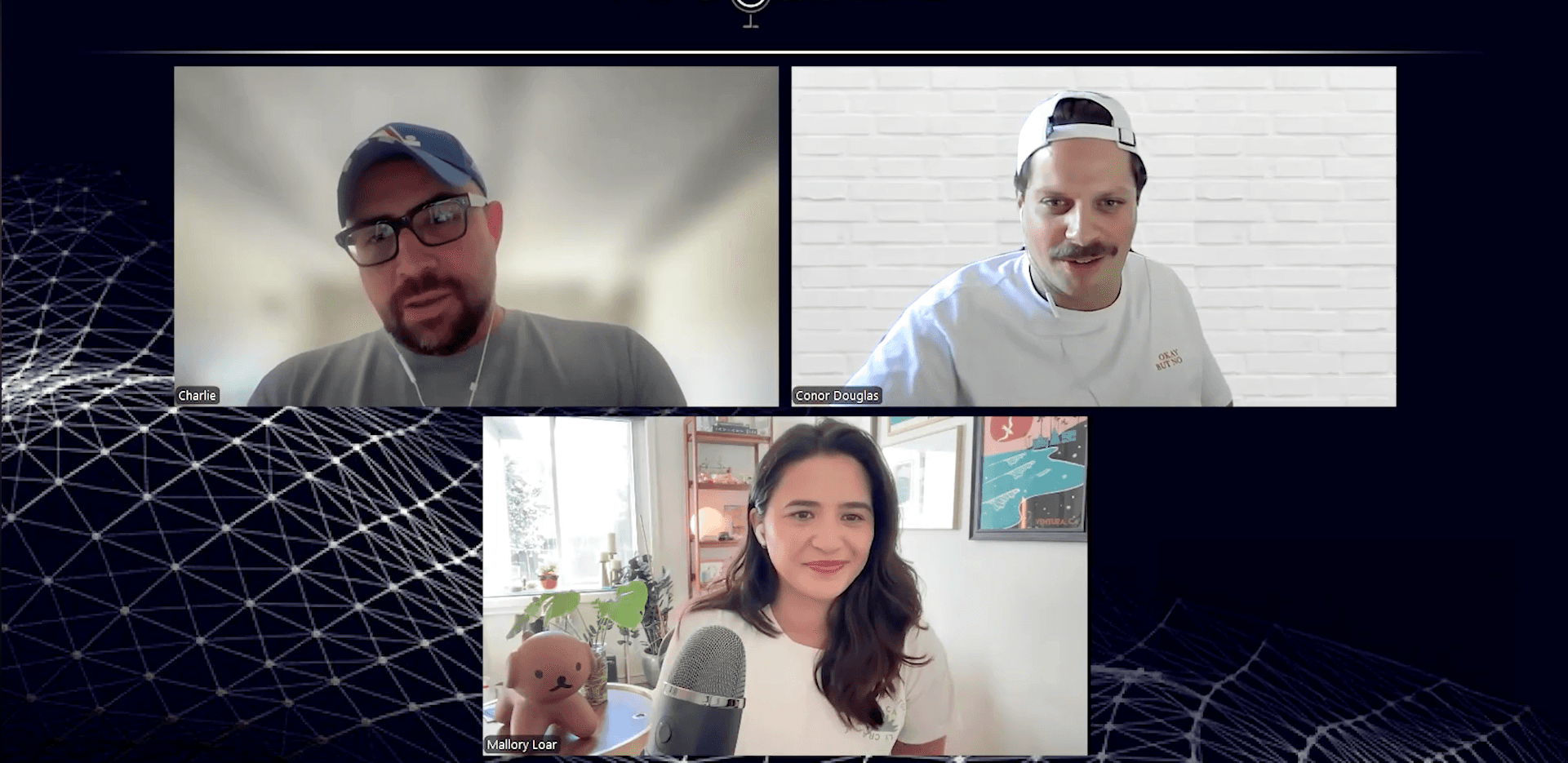
We’ve had a lot of conversations about this on the Builder’s Growth Lab podcast—specifically the question of what the role of the developer looks like in a world where non-technical founders are shipping fast. Worth a listen if this topic resonates.
Podcasts
[Ep. 22]


[Ep. 004]

This platform was started with a simple idea: to share stories that spark curiosity and inspire conversations. Our team of writers and creators is dedicated to bringing thoughtful and diverse voices together. We hope you find value in every read.
Frances Guerrero
Founder & Editor-in-Chief

FAQS
Welcome to Reado, your go-to source for insights, tips, and stories that inspire curiosity and learning. Our mission is to provide readers with high-quality content across topics like lifestyle, travel, productivity, health, finance, and technology.
We’re passionate about storytelling, creating a space where ideas come alive, curiosity thrives, and readers feel inspired to make informed choices.
How do I draw Frames?
To draw a Frame, click on Layout in the Toolbar, then select Frame. Now, you can click and drag anywhere on the Canvas.
How do I add images?
To add an image, select any Frame, and either double-click on it, or go to the Fill property. In the Fill property, switch to the image icon. Here, you can upload images.
How do I add videos?
To add a video to your site, click the “Insert” button and navigate to the “Media” section. Then, drag and drop a video component onto the Canvas.
Does Framer support XYZ?
To add a video to your site, click the “Insert” button and navigate to the “Media” section. Then, drag and drop a video component onto the Canvas.
Does Framer support XYZ?
To add a video to your site, click the “Insert” button and navigate to the “Media” section. Then, drag and drop a video component onto the Canvas.