


Vibe Coding With AI
Vibe coding and AI are inseparable. The whole approach only works because AI models have gotten good enough to translate a plain-English description into functional code—and to do it fast enough that iteration feels like a conversation rather than a waiting game.
But “AI” is doing a lot of work in that sentence. There are different types of models, different ways those models process your prompts, different failure modes to understand, and a significant skill gap between builders who get great output and builders who don’t. That gap almost always comes down to how well they understand what the AI is doing and how to work with it.
This post breaks down the AI layer of vibe coding—what’s actually happening under the hood, what the current tools can and can’t do, and how to get meaningfully better output from the same models everyone else is using.
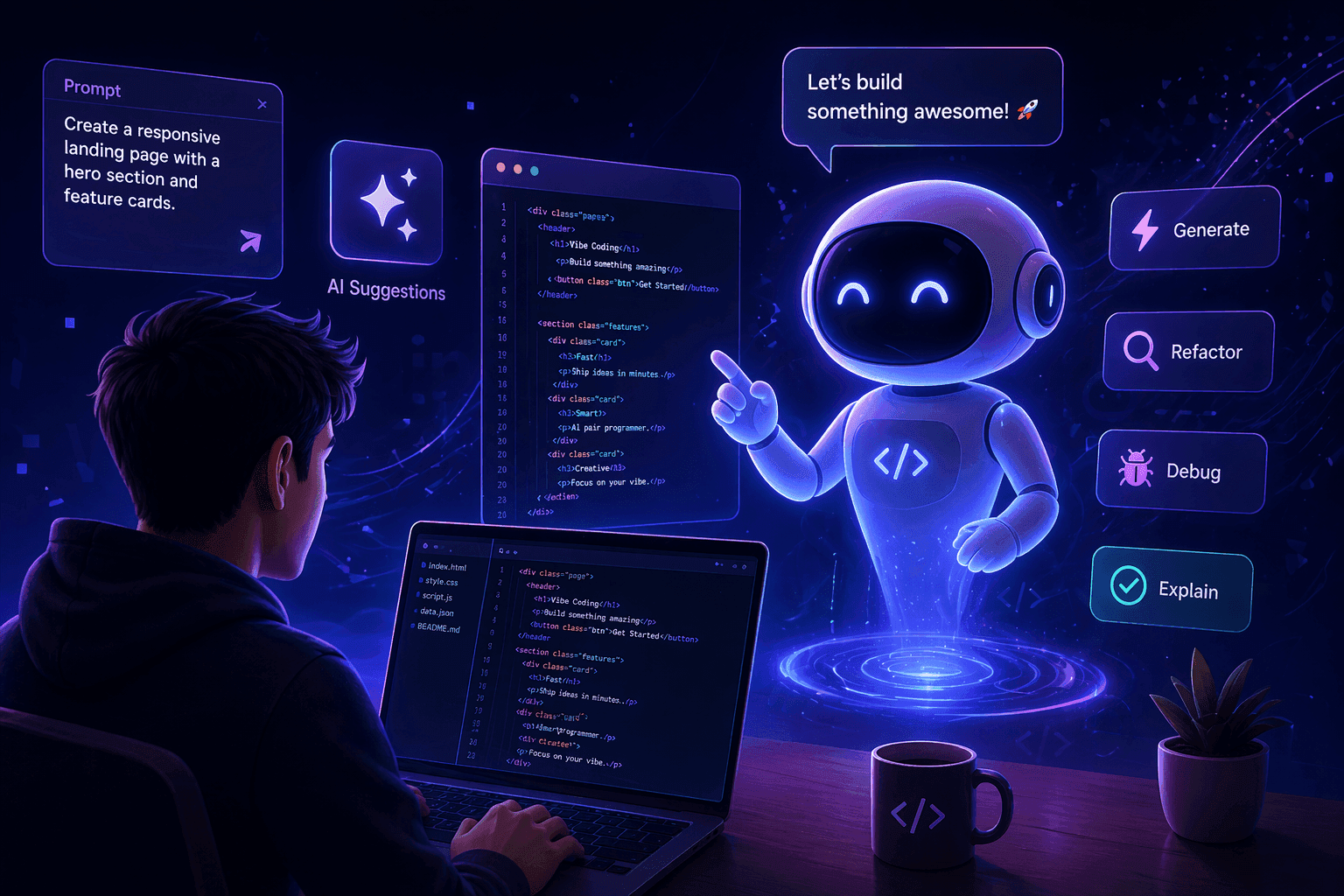
Why AI Is Central to Vibe Coding
Vibe coding is not a new development methodology in the traditional sense. It’s not a framework or a design pattern. It’s a shift in what the primary input to software development looks like—from code to language.
That shift is only possible because of large language models. Before LLMs reached their current capability level, the idea of describing a feature in plain English and getting working, deployable code back was not realistic. You could get pseudocode, suggestions, documentation. You couldn’t get a functional React component with proper state management and error handling.
What changed is the combination of three things happening simultaneously:
• Model quality reached the threshold where generated code is good enough to run without manual rewriting in a majority of cases
• Context windows expanded enough that the model can hold a meaningful amount of project context across a session
• Platform tooling (Lovable, Bolt, Cursor) evolved to make the prompt-generate-review loop fast enough to feel like real-time iteration
Pull out any one of those three and vibe coding doesn’t work at the level it does today. The AI is not decoration—it is the entire mechanism.
Vibe coding is a direct product of where AI capability sits right now. It didn’t exist three years ago and it will look different three years from now. Understanding the underlying AI is the best way to stay ahead of those changes.
Types of AI Models Used in Development
Not all AI models are created equal for coding tasks. The vibe coding ecosystem currently runs primarily on a small set of large language models, each with distinct strengths and trade-offs.
Large Language Models (LLMs)
LLMs are the backbone of every major vibe coding tool. They are trained on enormous datasets that include code repositories, documentation, forums, and plain-language descriptions of programming concepts. That training is what allows them to translate natural language into code—they’ve seen millions of examples of both.
The leading LLMs for coding tasks right now are Claude (Anthropic), GPT-4o (OpenAI), and Gemini (Google). Each has different strengths across reasoning depth, context retention, code quality, and instruction-following.
Code-Specific Models
Some models are fine-tuned specifically on code rather than general language. GitHub Copilot’s underlying model is a good example. These models tend to be faster and more accurate for narrow code completion tasks but are less capable at the kind of full-project reasoning that vibe coding requires. They’re better suited to augmenting a developer’s existing workflow than driving the full build.
Multimodal Models
An emerging category worth watching: models that can process both images and text. This opens up workflows where you screenshot a design or a UI and prompt the AI to build a working version of it—no written description required. v0 by Vercel has integrated some of this capability. As multimodal AI matures, the input to vibe coding will expand beyond text prompts entirely.
How Model Choice Affects Output
The model you’re using matters more than most vibe coding content acknowledges. Here is the honest breakdown:
• Claude (especially Claude 3.5 Sonnet and above) consistently produces clean, readable, well-structured code and handles complex multi-step instructions reliably. Strong at maintaining context across long sessions. The preferred choice for serious vibe coders who want the best output quality.
• GPT-4o is fast, broadly capable, and the default for many tools. Excellent for general tasks. Slightly more prone to hallucination on complex builds and more likely to make opinionated framework choices you didn’t ask for.
• Gemini is improving but still catching up for nuanced coding work. Best positioned in tools tied to the Google ecosystem. Worth monitoring rather than defaulting to right now.
If the tool you’re using lets you choose the underlying model, experimenting across the same prompt is worth doing. The output difference between models on a complex prompt can be significant.
How AI Transforms Natural Language Into Code
Understanding this at even a surface level makes you a better vibe coder. You don’t need to understand transformer architecture—you need to understand what the model is doing with your words.
Prediction, Not Comprehension
LLMs don’t “understand” your prompt the way a human developer would. They predict the most statistically likely continuation of the text you gave them, based on patterns learned from training data. When you prompt an AI to “build a login form with email and password fields,” it’s not thinking through UX best practices and security considerations from first principles. It’s generating the most probable sequence of tokens that would follow that description, based on millions of examples it has seen.
This matters because it explains both why AI is so fast and why it hallucinates. Speed: it’s pattern-matching, not reasoning. Hallucination: when the training data doesn’t contain good examples of something, the model confidently fills in something plausible that may be wrong.
Context Is Everything
The model can only work with what’s in the context window—the full conversation up to that point, including your prompts, its responses, and any files or code you’ve shared. This is why sessions drift over time: as the context window fills up, earlier instructions get less weight in the model’s predictions. A prompt you gave 50 messages ago may be effectively invisible to the model by the end of a long session.
Experienced vibe coders manage this deliberately. They keep project specs short and reference them explicitly at key points. They start new sessions for distinct features rather than building an entire product in one thread. They use tools like Cursor’s codebase indexing to give the model broader context without relying on conversation history.
Temperature and Variability
LLMs have a setting called temperature that controls how random or deterministic their output is. Higher temperature means more creative, less predictable output. Lower temperature means more consistent, more conservative output. Most vibe coding tools set this automatically, but knowing it exists explains why running the same prompt twice gives you slightly different code each time.
Using AI for Feature Generation
Feature generation is where vibe coding earns its reputation. The ability to describe a new feature and get working code in minutes—rather than planning sprints and waiting for engineering capacity—has changed how a lot of small teams and solo builders work.
Scoped Feature Prompts Work Best
The most reliable AI-generated features come from prompts that describe one specific thing, not five things at once. “Add a search bar to the top of the page that filters the list below by name” is a good feature prompt. “Add search, sorting, filtering, pagination, and export to CSV” is a bad one—not because the AI can’t attempt it, but because the output quality degrades as scope expands and debugging becomes exponentially harder.
Build one feature, test it, confirm it works, then prompt the next one. The session-by-session discipline of scoping pays off heavily when you get to debugging.
Providing the Right Context
When generating a new feature for an existing project, the AI needs context about what already exists. Without it, it will make assumptions that conflict with your current architecture. Best practices:
• Paste in the relevant existing component or file when prompting a change to it
• Describe what tech stack you’re using at the start of any new feature session
• If adding to a larger codebase, use Cursor’s codebase context feature rather than trying to paste everything manually
• Specify what you don’t want changed as clearly as you specify what you do want
Example: Scoped feature prompt with context
I’m building a web app using React and Supabase.
The current user dashboard shows a list of campaigns in a simple table.
Add a status filter above the table with three options: All, Active, Archived.
Filtering should happen client-side—no additional database queries.
Don’t change the table layout or existing columns.
AI Assisted Debugging Techniques
Debugging AI-generated code is one of the less glamorous parts of vibe coding and one of the areas where most beginners lose the most time. The good news is that AI is also your best debugging tool—if you know how to use it.
Paste the Error, Not Just the Symptom
When something breaks, resist the urge to describe what looks wrong visually. Copy the actual error message from the console and paste it into your prompt. Error messages contain specific information the AI can act on directly. “The button doesn’t work” gives the AI almost nothing. “Uncaught TypeError: Cannot read properties of undefined (reading ‘map’) at Dashboard.jsx:47” gives it exactly what it needs.
Isolate Before You Ask
If you have multiple things broken at once, pick the most fundamental one and fix it first. Asking the AI to fix three bugs simultaneously in a complex component almost always produces a response that partially fixes each and fully fixes none. Isolation is the discipline.
Ask It to Explain Before It Fixes
A technique that experienced vibe coders use: before asking the AI to fix a bug, ask it to explain what it thinks is causing it. This surfaces whether the model actually understands the problem. If the explanation is wrong, correct it before letting the model attempt a fix. Fixing from a wrong diagnosis produces code that looks different but breaks the same way.
Example: Debugging prompt sequence
Step 1: “The form submission isn’t saving to the database.
Here’s the error: [paste error]. What do you think is causing this?”
Step 2 (after explanation): “Your diagnosis is correct.
Now fix it without changing the form layout or field names.”
When the AI Can’t Fix It
Sometimes the AI will loop—making a change, breaking something else, trying to fix that, and cycling without making real progress. This usually means the root problem is architectural rather than syntactic. Signs you’ve hit this:
• The same error returns after a fix
• Each fix introduces a new error in a different place
• The AI starts suggesting approaches that contradict what it built earlier
At this point, the right move is not more prompting—it’s starting a fresh session with a clean description of what you’re trying to build and how you want the specific feature to work. Restarting with better scope often outperforms trying to debug indefinitely.
Limitations of AI Generated Code
The limitations of AI-generated code are real and worth understanding clearly—not to discourage you from using it, but because knowing the failure modes makes you a better builder.
Security vulnerabilities. AI-generated code is not secure by default. Common issues include improper handling of user inputs, exposed environment variables, insecure database queries, and missing authentication checks. If you’re building anything that handles real user data or payments, have someone with a security background review the generated code before you go live.
Performance at scale. Generated code is optimized to work correctly, not to work efficiently. Database queries may not be indexed. Rendering logic may not be memoized. API calls may not be debounced. For an MVP with 50 users, this doesn’t matter. For a product with 50,000 users, it does. Plan for a performance audit before you scale.
Outdated dependencies. LLMs have a training cutoff. If a library released a major new version after that cutoff, the AI may generate code using deprecated patterns or old APIs. Always verify that generated dependency versions are current, especially for rapidly evolving tools.
Complexity ceiling. As described elsewhere on this site, there is a real ceiling on what AI-generated code can reliably handle. Custom algorithms, complex real-time features, and highly interconnected systems consistently hit this ceiling. Knowing it exists is the first step to avoiding it.
Drift and inconsistency. In longer sessions or larger projects, the AI may generate code that conflicts with what it produced earlier—different naming conventions, different state management patterns, different approaches to the same problem. This inconsistency creates technical debt that compounds over time.
Before you ship
AI-generated code that goes to production without any review is a liability. Even a non-technical founder can do a basic security pass by asking the AI itself: “Review this code for common security vulnerabilities and tell me what to fix.” It’s not a substitute for professional review on a serious product, but it’s better than nothing.
Improving AI Output With Better Prompts
The model is a constant. Your prompts are a variable. The fastest way to get better output from any AI coding tool is to get better at prompting—and there are specific techniques that make a measurable difference.
Lead With the Outcome, Not the Method
Describe what you want the finished feature to do, not how you think it should be built. The AI is better at selecting the right implementation approach than most non-technical users, so let it. “Build a form that validates email format on blur and shows an inline error message if the format is wrong” is better than “Use a regex to validate the email field and add a conditional class to show the error span.” The first prompt gets you to the right output faster.
Specify Constraints Explicitly
What you don’t want is as important as what you do. If you want to add a feature without changing the existing UI, say that. If you want to use a specific library rather than whatever the AI defaults to, specify it. If you want the output to match a particular naming convention already in your codebase, include an example. Unstated constraints produce unstated violations.
Use Examples Inside Prompts
Including a reference example inside your prompt dramatically improves consistency. This applies to visual patterns (“format the output like this: [example]”), naming conventions (“use the same naming pattern as this existing function”), and behavioral expectations (“this should work the same way the existing export feature works”).
Break Complex Features Into Prompt Sequences
A complex feature built through a sequence of focused prompts will almost always outperform the same feature attempted in a single large prompt. Think of it as a conversation, not a specification document. Get the structure right, then add the logic, then add the edge cases. Each step builds on confirmed working output from the previous one.
Emerging AI Tools for Developers
The AI development tooling landscape is moving fast. Here are the categories and specific tools worth paying attention to right now, beyond the major platforms already covered in our vibe coding tools post.
AI Agents for Autonomous Building
The next evolution beyond prompt-generate-iterate is autonomous AI agents that can execute multi-step development tasks without constant human direction. Tools like Devin (Cognition AI) represent an early version of this—an AI that can take a ticket, write the code, run tests, and open a pull request on its own. These are genuinely impressive in demos and genuinely limited in production. Watch this space closely.
Voice-to-Code Interfaces
A small number of tools are experimenting with voice as the primary input for vibe coding—you describe what you want out loud and the AI generates it. The advantage is speed of expression; most people can articulate an idea faster by talking than by typing. The limitation right now is precision—the ambiguity of spoken language creates more drift than typed prompts. Early but directionally interesting.
AI-Powered Testing and QA
Testing AI-generated code manually is time-consuming. A growing category of tools can generate test suites automatically, run those tests against generated code, and flag failures—creating a feedback loop that catches bugs before they reach the prompt-and-iterate cycle. This is especially important for vibe coding projects that don’t have a dedicated QA function.
Smarter Context Management
One of the core limitations of LLMs—context drift in long sessions—is being addressed through better tooling. Cursor’s codebase indexing is an early version of this. Expect to see more tools that can maintain accurate project context across sessions, reducing the inconsistency that currently plagues larger vibe coding projects.
Specialized Coding Models
As the model ecosystem matures, expect more models fine-tuned specifically for different types of coding tasks—frontend components, API design, database schemas, mobile development. A specialized model trained on millions of React components will outperform a general-purpose LLM on React-specific tasks. These are beginning to emerge and will become more common over the next 12–18 months.
We cover new tool releases in the News section as they happen, and the Builder’s Growth Lab podcast regularly features conversations with the builders and operators who are using these tools first. If staying current on AI development tooling is important to your work, both are worth following.
Podcasts
[Ep. 22]



[Ep. 004]


This platform was started with a simple idea: to share stories that spark curiosity and inspire conversations. Our team of writers and creators is dedicated to bringing thoughtful and diverse voices together. We hope you find value in every read.
Frances Guerrero
Founder & Editor-in-Chief

FAQS
Welcome to Reado, your go-to source for insights, tips, and stories that inspire curiosity and learning. Our mission is to provide readers with high-quality content across topics like lifestyle, travel, productivity, health, finance, and technology.
We’re passionate about storytelling, creating a space where ideas come alive, curiosity thrives, and readers feel inspired to make informed choices.
How do I draw Frames?
To draw a Frame, click on Layout in the Toolbar, then select Frame. Now, you can click and drag anywhere on the Canvas.
How do I add images?
To add an image, select any Frame, and either double-click on it, or go to the Fill property. In the Fill property, switch to the image icon. Here, you can upload images.
How do I add videos?
To add a video to your site, click the “Insert” button and navigate to the “Media” section. Then, drag and drop a video component onto the Canvas.
Does Framer support XYZ?
To add a video to your site, click the “Insert” button and navigate to the “Media” section. Then, drag and drop a video component onto the Canvas.
Does Framer support XYZ?
To add a video to your site, click the “Insert” button and navigate to the “Media” section. Then, drag and drop a video component onto the Canvas.