


Vibe Coding vs Traditional Coding
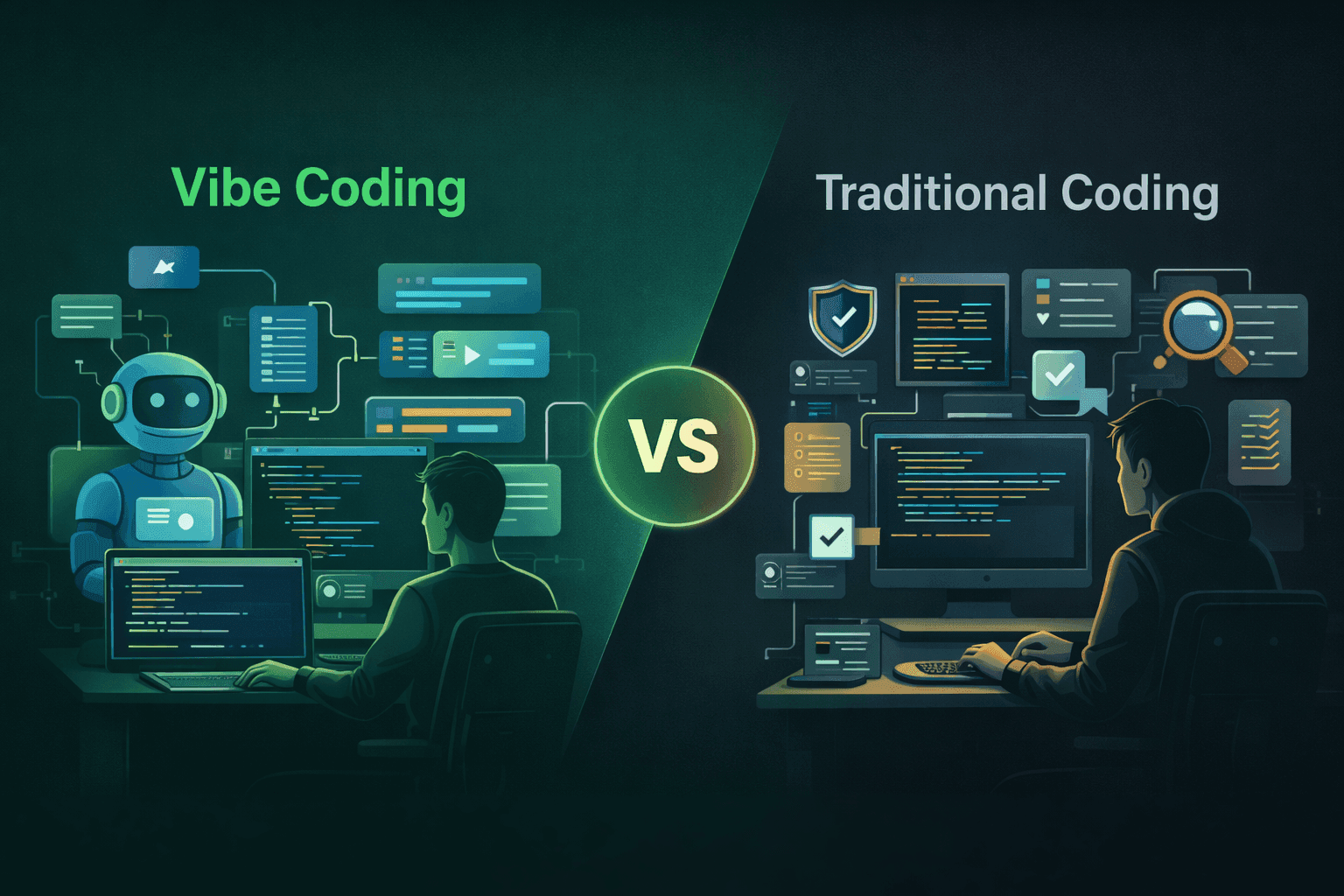
The debate sounds more dramatic than it is. Vibe coding versus traditional coding isn’t a fight—it’s a spectrum. And the builders who understand where each approach belongs are the ones getting the most done right now.
But the differences are real and worth being precise about. Vibe coding changes who can build, how fast they can build, and what kinds of decisions they’re making moment to moment. Traditional coding hasn’t gone anywhere. It’s just no longer the only path from idea to shipped product.
This post breaks down both approaches honestly—what they are, where they diverge, and how to think about using them together.
How Traditional Coding Works
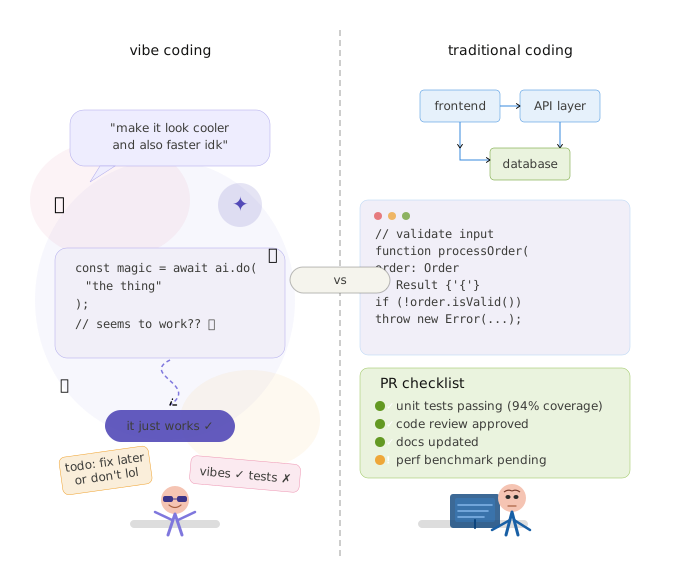
Traditional coding means writing instructions for a computer in a programming language. Python, JavaScript, TypeScript, Go, Rust—pick your language. You write the logic, the compiler or interpreter runs it, and if it breaks, you read the error message, debug, and fix it.
The mental model of traditional development is direct control. You decide how data flows through the system. You write the functions that handle each case. You are responsible for what the code does because you wrote every line of it. When something breaks, you understand why—because you built it.
The traditional development workflow typically looks like this:
1. Spec out what you’re building—usually in tickets, a doc, or your head
2. Set up a local development environment (dependencies, configuration, version control)
3. Write the code, test it locally, fix errors
4. Open a pull request, go through code review
5. Deploy through a CI/CD pipeline or manually to staging, then production
The skill ceiling is high and the learning curve is steep. Getting to the point where you can build a functional web app from scratch—frontend, backend, database, auth, deployment—takes months to years of deliberate practice.
The payoff is precision, performance, and depth. A senior engineer building something traditionally can optimize for exactly the behavior the product needs, at any scale, with full understanding of why every part works the way it does.
What Defines Vibe Coding
Vibe coding, a term coined by Andrej Karpathy in early 2025, is the practice of building software through natural language—describing what you want to an AI, reviewing what it produces, and iterating in conversation rather than by writing code directly.
The mental model is closer to directing than writing. You are not the one producing code. You are the one deciding what the code should do, evaluating whether the output matches your intent, and steering the AI with follow-up prompts until it does.
The shift is not from “writing code” to “not writing code.” It’s from “instructions in a programming language” to “instructions in plain English.” The underlying system is still executing code. You’re just not the one authoring it.
The vibe coding workflow looks like this:
1. Describe the project or feature in plain language to a tool like Lovable, Bolt, or Cursor
2. Review the AI-generated output visually or functionally—not by reading the code
3. Iterate with follow-up prompts to refine, fix, or expand
4. Deploy directly from the platform—no CI/CD pipeline required
5. Deploy directly from the platform—no CI/CD pipeline required
The barrier to entry is dramatically lower. A non-technical founder can go from idea to deployed app without learning a programming language, setting up a development environment, or understanding how a database works. That’s a genuinely new thing.
Key Differences Between Both Approaches
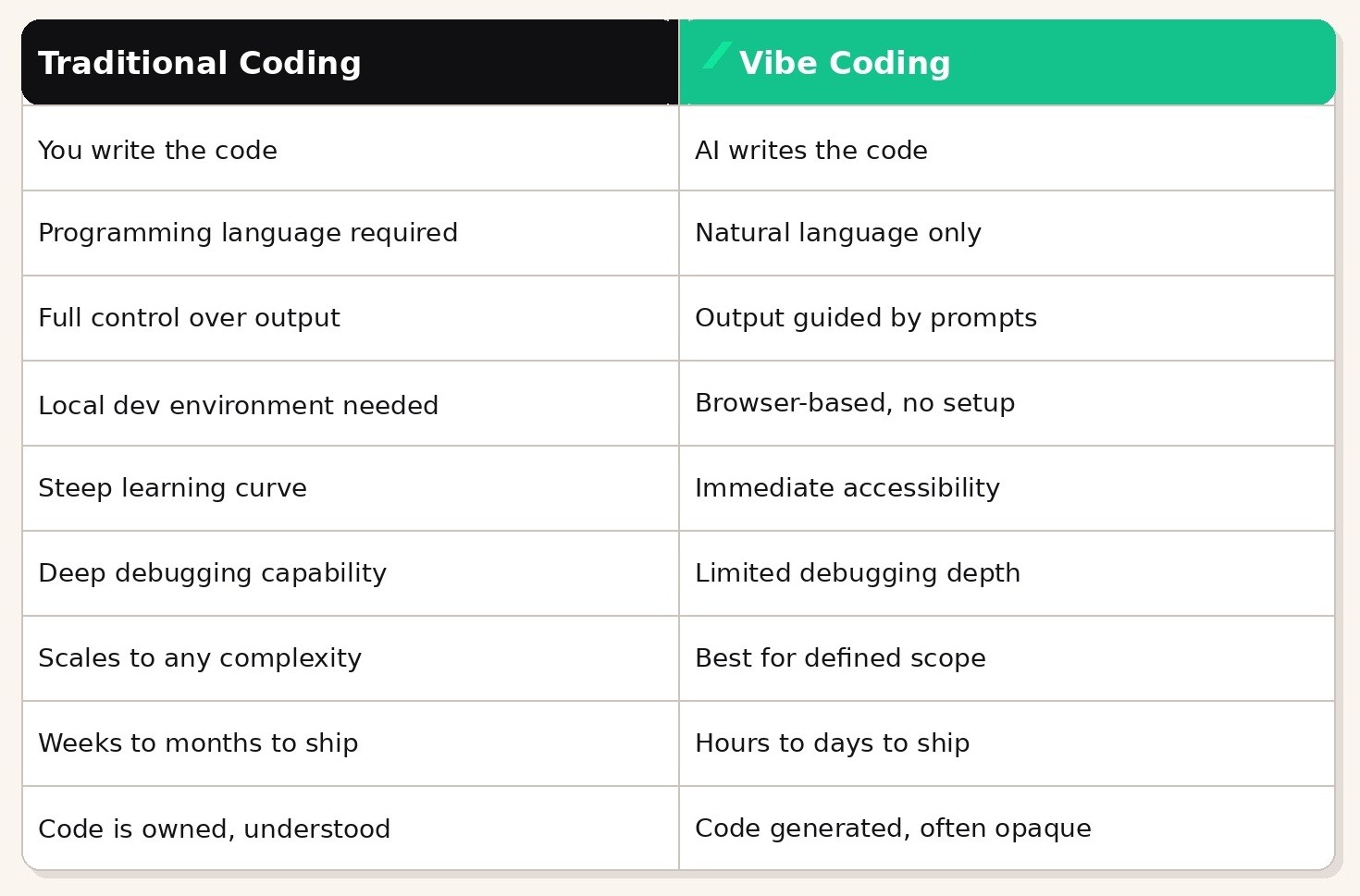
The table captures the trade-offs cleanly, but a few of them are worth expanding on.
Ownership and understanding is the most important difference that often goes undiscussed. When you write code traditionally, you know exactly why it works. When AI writes it, you may not. That’s fine for an MVP or a prototype. It becomes a liability if the codebase grows complex and you need to make precise changes.
Scope and complexity is the other critical distinction. Traditional coding has essentially no ceiling—Netflix and Stripe were built with it. Vibe coding has a real ceiling. Simple to moderate CRUD applications, landing pages, internal tools, and MVPs are squarely in range. Real-time systems, complex algorithms, custom infrastructure, and products at scale are not.
Speed of Development Compared
This is where vibe coding’s advantage is most dramatic and most discussed. The numbers speak for themselves when you look at what’s being shipped.
A landing page that takes a developer 2–3 days—accounting for design handoff, development, review, and deployment—takes a vibe coder 2–3 hours. A functional MVP with authentication and a database that takes a small dev team 2–4 weeks takes a focused vibe coder 3–5 days.
Those speed differentials are not universal. They depend heavily on:
• Project complexity
• The clarity of the spec going into the prompts
• The vibe coder’s experience with prompting and tool selection
• How much iteration is needed to get the output right
Traditional coding is faster in one specific scenario: when the problem is highly complex and the engineer knows the codebase deeply. A senior engineer fixing a nuanced bug in a system they built will always be faster than trying to prompt an AI through the same fix—because the AI doesn’t have the context the engineer has.
But for first-version builds, feature prototypes, and anything where the primary question is “could this work?” rather than “how do we make this scale?”, vibe coding wins on speed by a wide margin.
Speed benchmark worth knowing
Founders who have shipped products using both approaches consistently report that vibe coding cuts their time-to-first-working-version by 70–90% compared to traditional development. The gap narrows as the product matures and complexity grows.
Flexibility and Creativity in Each Method
There’s a common assumption that traditional coding offers more creative freedom because you’re not constrained by what an AI can produce. That’s partially true and worth being precise about.
Where Traditional Coding Has the Edge
Custom logic, novel algorithms, and architectures that don’t fit existing patterns are genuinely easier to implement through traditional coding. If you need a highly specific data structure, a custom rendering pipeline, or a feature that doesn’t exist in any template, writing it directly gives you complete creative control.
Traditional coding also allows for optimization in ways vibe coding can’t match. A developer can choose exactly how memory is managed, how queries are structured, how the UI renders—choices that are invisible when you’re prompting an AI.
Where Vibe Coding Has the Edge
For exploration and ideation, vibe coding is arguably more creatively productive. The ability to try five different UI directions in an afternoon—because generating each one takes minutes rather than hours—changes the nature of the design process. You can explore ideas you would never have had time to prototype traditionally.
Vibe coding also removes the “technical debt of the blank page.” The moment of starting a new project from scratch is one of the highest-friction moments in traditional development. With vibe coding, you describe a rough version and have something to react to immediately. Reacting and refining is faster than constructing from nothing.
The honest summary: traditional coding is more flexible at the precision end. Vibe coding is more creatively fluid at the exploration end. Neither is universally better.
Challenges of Using AI for Development
Vibe coding has real limitations and it’s worth being direct about them. The hype around the approach often glosses over the friction points that builders actually encounter.
Context drift and hallucination. AI models lose track of what they’ve built as a session grows longer. In a complex project, the AI may contradict code it generated earlier, introduce inconsistencies, or misremember constraints you specified. This gets worse the more complex the project is. Experienced vibe coders develop habits around managing this—keeping sessions scoped, starting fresh for different features, maintaining external spec documents the AI can reference.
Opaque debugging. When something breaks in a vibe coding project, diagnosing the root cause is harder than in a traditional codebase—because you may not understand the code well enough to trace what went wrong. The workaround is describing the bug to the AI and asking it to fix it, which works most of the time but fails unpredictably on complex issues.
Security and quality gaps. AI-generated code is not automatically secure or optimized. It can produce code with common security vulnerabilities—improper input validation, exposed API keys, insecure database queries—that a developer would catch in code review. For anything handling sensitive user data or payments, vibe coding output should be reviewed by someone with a security background before it goes to production.
Complexity ceiling. The ceiling is real. Vibe coding works extremely well for projects with defined scope and standard patterns. It starts to break down when the requirements are novel, the architecture is non-standard, or the interactions between components become intricate. Knowing where that ceiling is for your project—before you hit it—is one of the most important skills a vibe coder can develop.
Prompt dependency. The quality of what you build is directly determined by the quality of your prompts. Vague prompts produce vague results. This sounds obvious but it catches a lot of beginners—they blame the tool when the real issue is that they haven’t specified clearly what they want.
When Vibe Coding Makes More Sense
The question isn’t really “which is better”—it’s “which is better for this specific situation.” Here’s a clear framework.
Use Vibe Coding When…
• You’re validating an idea and need a working prototype before committing to a full build
• The project is a landing page, internal tool, or simple web app with standard functionality
• Speed to first version is the primary constraint
• You’re a non-technical founder or operator who doesn’t have engineering resources
• You’re prototyping a feature to show stakeholders or test with users before speccing it for engineering
• The project scope is well-defined and doesn’t require custom infrastructure or novel algorithms
Use Traditional Coding When…
• The product needs to scale beyond what AI-generated code is designed for
• Security, compliance, or performance are critical non-negotiables
• The project requires custom business logic that doesn’t fit standard patterns
• You’re building on top of an existing codebase that the AI doesn’t have full context on
• The product has moved past MVP and needs refactoring, optimization, or architectural decisions
• You need to own and deeply understand every part of the system
The mistake most people make is treating this as a permanent either/or choice. It’s not. Most serious builders are making this call at the feature level, not the project level.
How Developers Can Combine Both Approaches
The most productive builders in 2025 are not choosing between vibe coding and traditional coding. They’re using both, strategically, at different stages and different layers of the same product.
Use Vibe Coding to Move Fast, Traditional Coding to Go Deep
The practical pattern that’s emerging: use vibe coding to get to a working first version, then switch to traditional development for the parts that need precision. A founder uses Lovable to build the MVP, validates it with real users, raises money, hires a developer, and that developer cleans up and extends the vibe-coded codebase—or rebuilds the critical parts in production-ready code.
This is not a failure of vibe coding. It’s the correct use of it. The MVP’s job is to prove the idea works. Lovable can do that. The production system’s job is to handle scale and complexity reliably. That’s where traditional engineering takes over.
Use AI Tools Throughout Traditional Development
Even developers working in traditional codebases are integrating AI assistance heavily. Cursor with Claude is the most common setup right now: a developer who writes code traditionally but uses Cursor’s AI chat to answer questions about their codebase, generate boilerplate, refactor functions, and debug errors faster.
This is not vibe coding in the strict sense—the developer is still writing and reviewing code. But it is AI-augmented development, and it is making experienced engineers meaningfully faster. The builders who are dismissing AI tools entirely are falling behind peers who have integrated them.
Use Vibe Coding for Experimentation, Traditional Coding for Production
A product team that used to spend two weeks scoping and building a new feature can now vibe code a working prototype in a day, put it in front of users, and arrive at the engineering spec already knowing what works. The traditional development that follows is more targeted, less wasteful, and more likely to produce the right thing—because it’s based on evidence rather than assumptions.
The practical takeaway
Vibe coding and traditional coding are not competitors. They are complements. The fastest builders use vibe coding where it gives them speed and traditional coding where they need depth. Knowing when to switch is the actual skill.
If you want to see how real founders are navigating this in practice—which tools they’re using when, where they hit limits, and how they’re thinking about the hybrid approach—the Builder’s Growth Lab podcast has covered this across multiple episodes. Worth adding to your rotation.
Podcasts
[Ep. 22]


[Ep. 004]


This platform was started with a simple idea: to share stories that spark curiosity and inspire conversations. Our team of writers and creators is dedicated to bringing thoughtful and diverse voices together. We hope you find value in every read.
Frances Guerrero
Founder & Editor-in-Chief

FAQS
Welcome to Reado, your go-to source for insights, tips, and stories that inspire curiosity and learning. Our mission is to provide readers with high-quality content across topics like lifestyle, travel, productivity, health, finance, and technology.
We’re passionate about storytelling, creating a space where ideas come alive, curiosity thrives, and readers feel inspired to make informed choices.
How do I draw Frames?
To draw a Frame, click on Layout in the Toolbar, then select Frame. Now, you can click and drag anywhere on the Canvas.
How do I add images?
To add an image, select any Frame, and either double-click on it, or go to the Fill property. In the Fill property, switch to the image icon. Here, you can upload images.
How do I add videos?
To add a video to your site, click the “Insert” button and navigate to the “Media” section. Then, drag and drop a video component onto the Canvas.
Does Framer support XYZ?
To add a video to your site, click the “Insert” button and navigate to the “Media” section. Then, drag and drop a video component onto the Canvas.
Does Framer support XYZ?
To add a video to your site, click the “Insert” button and navigate to the “Media” section. Then, drag and drop a video component onto the Canvas.